


Get listed.Get discovered.
With Claude or Codex.
Your agent chooses relevant directories, prepares your listings and submits them in your browser. LaunchIntel gives it 160 tested playbooks and a dashboard to track every step.
Submission workflows tested with Claude Code and Codex
Normally $249Save $100 at launch
One-time purchase. Delivered as access to a private GitHub repository.
Your agent checks product fit and submission requirements across 160 directories, then proposes a shortlist for you to approve. Example picks: The Hack Stack, Uneed, SaaSHub. After your approval, the agent submits and records the outcomes in your dashboard.
What you get
Give your agent a tested route to launch.
Directory requirements, submission instructions and a dashboard for every product. Your agent does the work on your computer.
160 directory playbooks
Every shipped directory was submitted to end to end on a free route with a real product. Each guide records the form fields and limits, account and captcha requirements, costs, submission confirmation and follow-up steps.
A skill that puts your agent to work
Install the public LaunchIntel skill. It opens your paid repository, where the intake, queue and submission workflows stay private. Your agent works in your browser and records each outcome.
A shortlist that fits your product
Your agent uses directory categories and the requirements in each guide to choose suitable places to submit. Review the shortlist, rule out badges or known CAPTCHA routes, and approve what goes ahead.
A local dashboard
Switch products, edit their briefs and permissions, review blockers and track listings in your browser. Light and dark themes, with optional daily Domain Rating checks.
How it runs
Your product. The right directories. A clear record.
Approve the facts and queue, choose whether to include badges, and decide whether blocked steps should wait or ask for your help. Your agent continues within those choices.
Intake.
Your agent interviews you or drafts the product kit from your site: taglines, descriptions, facts, logo and screenshots. You approve the kit before the first submission.
Choose the fit.
Your agent checks the directory categories and requirements against your product. Review its shortlist, exclude routes you do not want, and approve the queue.
Submit.
One directory at a time, in your own browser. Your agent reads that guide, fills the form from your kit, handles the account and records the outcome.
Track.
See submitted listings, deferred steps and requests for your help. Each blocker shows what needs doing next. Recheck reviews and retry deferred directories when you're ready.
Rules the skill follows: free routes unless you approve a paid option, no invented facts, no votes or comments on other products, badges only with your approval, credentials never in the repository.
Get the installer on GitHub160 directories. Find your fit.
Launch platforms, software catalogs and communities, with a tested playbook for each. Your agent checks which ones suit your product before you approve the shortlist.
- Launch 90
- Catalog 62
- Community 6
- Reviews 1
- AI 1
- The Hack StackLaunchFree route
- SaaSHubCatalogFree route
- UneedLaunchFree route
- Startup StashCatalogFree route
- Twelve ToolsCatalogFree with badge
- IndieLogsCommunityFree route
Explore all included directories160
Categories, routes, account setup and full submission instructions are included in LaunchIntel Pro.
Unlock playbooksEach directory decides what it accepts. A tested submission route does not guarantee publication or a backlink.
The dashboard
One place for every product you launch.
Ask your agent to open your dashboard. Switch products, review submissions, handle blockers and follow your Domain Rating from your browser. Your workspace stays on your computer.
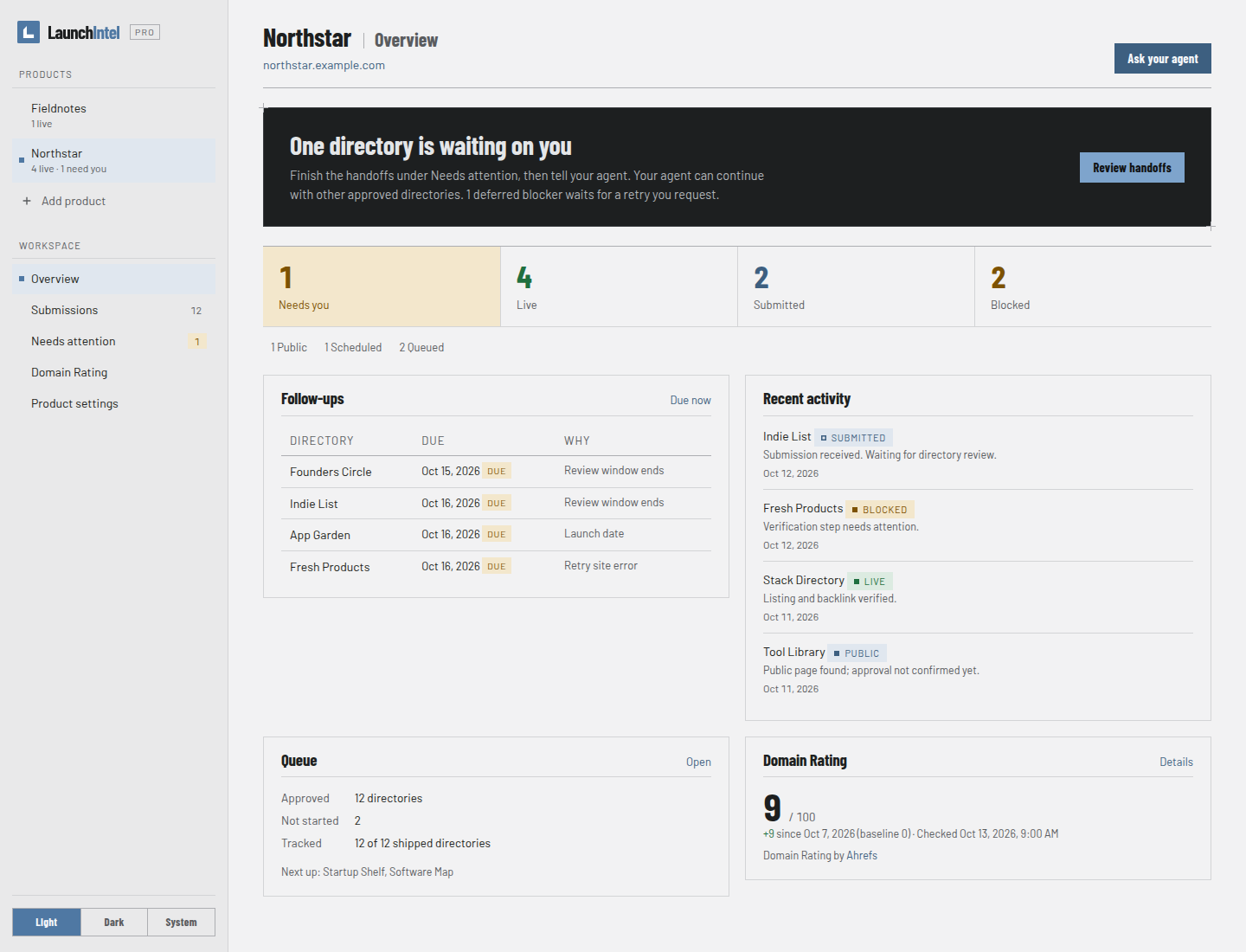
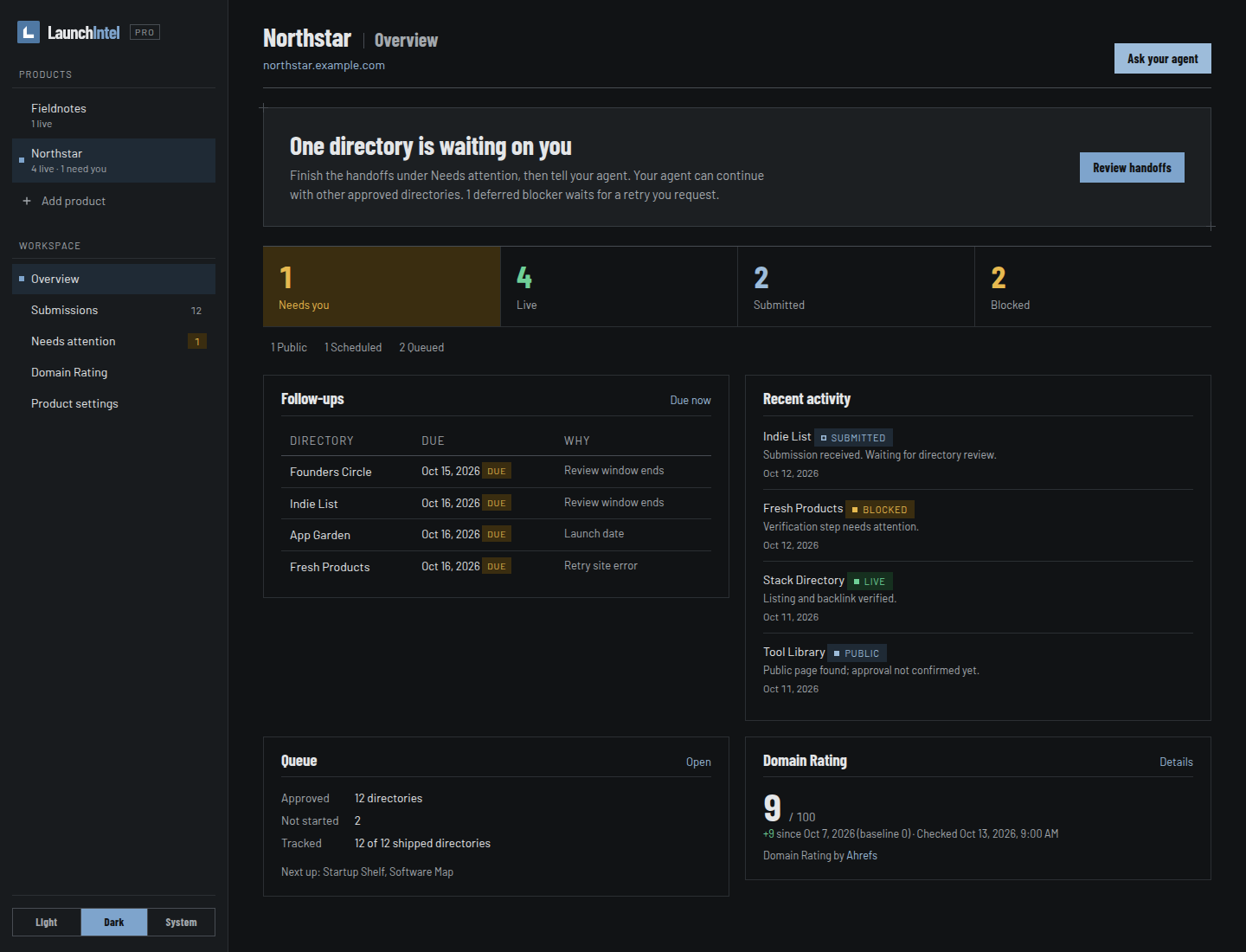
- Switch between products and edit their brief and permissions
- See what is live, awaiting review or needs your help
- Choose directories and hand the next task to your agent
- Track Domain Rating with optional daily checks
- Light and dark themes, with a layout that works on smaller screens
Pricing
Buy once. Launch every product.
One private repository, one payment. Updates land in the same repository.
In the private repository
- 160 directory playbooks, tested end to end
- Private workflows used by the public LaunchIntel skill
- Queue, progress, link check and dashboard scripts
- The local dashboard
- Updates in the same repository
After checkout, connect your GitHub account through Polar and accept the invitation to the private repository.
Founding buyers also get future modules released in this repository. Planned next: research and SEO content.
Solo
For products you own.
- Unlimited products you own, including commercial products
- One GitHub account
- Updates in the same repository
- Founding buyers: future modules included
Agency
For client work.
- Unlimited own and client products
- Commercial client work
- One GitHub account
- Updates in the same repository
- Founding buyers: future modules included
To celebrate our launch, these prices are available for a limited time. The discount is automatically applied at checkout.
Prices shown in USD. Checkout supports USD and EUR. Tax treatment depends on your billing location; the final total is shown at checkout. AI-provider usage and any optional directory fees are separate.
You need GitHub, Node 20 or newer, git and a compatible AI agent with local file, terminal and browser access. Submission workflows tested with Codex and Claude Code.
Before you buy
Questions, answered.
What exactly is for sale?
Read access to LaunchIntel Pro: 160 directory playbooks, private agent workflows, scripts and the local dashboard. The public installer skill opens that package; it does not contain the paid material. Everything runs on your machine.
What is not included?
No listings are guaranteed. Each directory decides what it accepts, and a tested route is not a promise of a link. No paid directory placements are required or included; every playbook uses a free route. Your AI-provider usage and any directory fees are separate.
Will my product fit every directory?
No. Your agent uses the directory categories, the requirements in each guide and your product brief to choose suitable destinations. You review that shortlist before submissions begin. The total is the number of tested guides included, not a promised number of listings for any one product.
What do I need?
A compatible AI agent with local file, terminal and browser access. Submission workflows tested with Codex and Claude Code. You also need Node 20 or newer, git and a GitHub account.
Can I use Gemini CLI, Cursor, Windsurf or GitHub Copilot?
We have tested submission workflows with Claude Code and Codex. Other agents need local file, terminal and browser access to follow the playbooks; that depends on their tools and your setup. We have not yet verified the full workflow with Gemini CLI, Cursor, Windsurf or GitHub Copilot.
How is it delivered?
Open the customer portal from your Polar order confirmation, connect the GitHub account you want to use, and accept the repository invitation. Install the public LaunchIntel skill and ask your agent to use it. The agent finds or clones the private package with your GitHub login, then reads its workflows. Installing the public skill alone does not grant paid access.
What about updates and future modules?
Updates land in the same repository: new directories and corrected guides when forms change. Ask your agent to update the package. Founding buyers also get future modules released in this repository; the next one planned is research and SEO content. Planned means planned, not promised on a schedule.
Solo or Agency?
Solo covers an unlimited number of products you own, including commercial products. Agency also covers client work. Both provide access for one GitHub account to the same repository and updates. Neither licence permits sharing or reselling the private package.
Can I get a refund?
We do not offer change-of-mind refunds after repository access is granted with your consent to immediate delivery. Your statutory rights still apply, including if the content is faulty or not as described. Polar handles refunds and may issue them under its own policies. See the purchase terms for details.
Will it submit without asking me?
You approve the product kit, queue and run choices first. Your agent then works through that queue. An unresolved step can be deferred while other directories continue, or flagged for your help. Your approval still sets the limits on badges, spending and personal details. Credentials go in your password manager, never in the repository.
Do you solve captchas?
Your agent tries within your chosen budget, up to three attempts. If it cannot finish, choose either a later retry while it continues elsewhere, or an immediate request for your help with the tab open. You can also exclude known CAPTCHA routes before starting. Challenges can still appear on other sites.
Can I use it for clients?
With the Agency licence, yes: unlimited client products and commercial use. The Solo licence is for products you own.
Ready to launch?
Have a product to list?
The guides, agent skill and dashboard are included with both plans.
Get LaunchIntel$149